
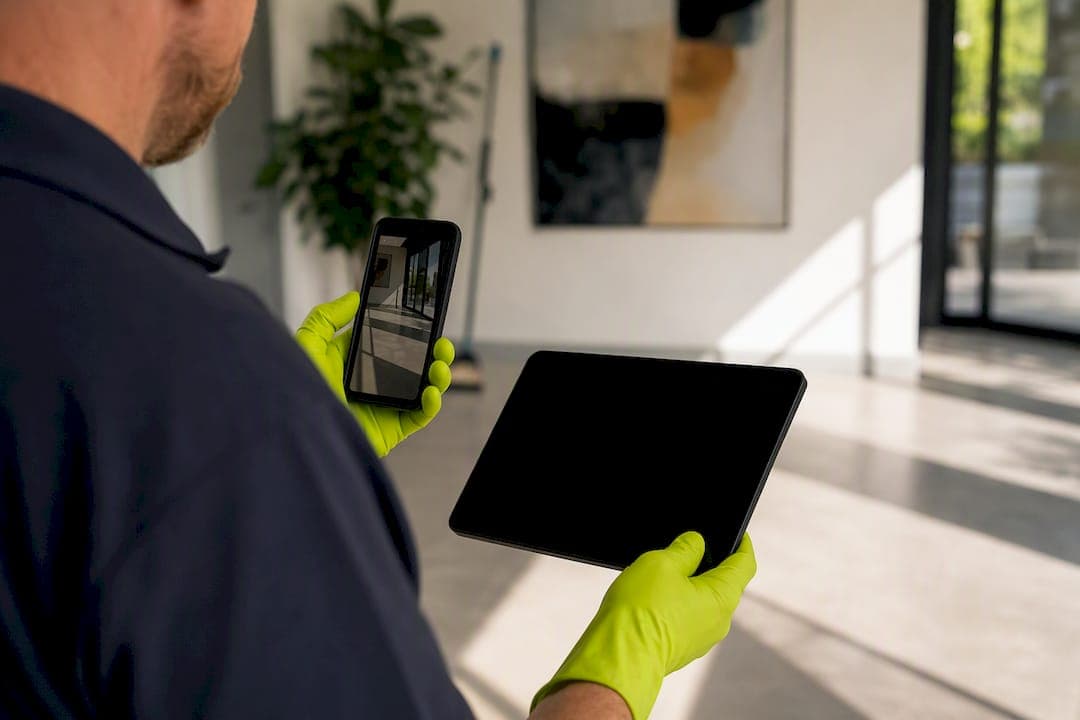
Cleaning compliance documentation is the service proof a cleaner hands over after a job: checklists, timestamped photos, inspection logs and a turnover report showing exactly what got done, where, and when. It backs quality control, protects you in a dispute, confirms guest-ready status, and gives insurers something concrete if a claim ever lands on your desk. Ask any eco-friendly cleaning contractor for this before your next turnover.
- A timestamped checklist covering every room
- A minimum of eight photos per inspection, tagged by zone
- Pass/fail marks on critical items, not vague "all good" notes
Key Takeaways
Compliant cleaning documentation works because it turns a subjective clean into an objective, timestamped record that protects your ratings, your revenue, and your insurance position.
| Point | Details |
|---|---|
| Define it clearly | Cleaning compliance documentation is service proof: checklists, photos, logs, and turnover reports. |
| Prefer structured photos | A minimum of eight timestamped, zone-tagged photos per inspection beats a random handful. |
| Set pass/fail thresholds | One failed critical item (hair, dirty linen, fouled toilet) should block guest-ready status. |
| Store records properly | Use consistent file naming and tamper-evident timestamps to survive disputes and claims. |
| Choose a built-in protocol | Grimescene's Scene Reset generates job IDs, photo manifests, and sign-offs as part of the clean itself. |
Table of Contents
- Common document types and formats you'll receive
- What should a compliant turnover report include?
- How do you use turnover documentation day to day?
- How do you require compliant documentation from a cleaner?
- Best practices for storing and retaining cleaning records
- A copy-and-use turnover checklist template
- How does a professional protocol like Scene Reset work in practice?
- Why documentation is the part hosts underestimate
- Book a documented Scene Reset for your next turnover
- Frequently asked questions
- Sources
Common document types and formats you'll receive
Cleaners hand over proof in a handful of formats, and they're not equally trustworthy. Paper checklists are the oldest method and the weakest one. They sit in a folder, carry no metadata, and offer little in a dispute because there's no way to confirm when they were actually filled out.
App-based reports fix that gap by attaching a timestamp and often a location to every entry. GPS check-ins prove someone showed up at the property, but they don't prove the work was done properly — attendance and quality are different things. QR or NFC scan logs go a step further, tying a specific zone, person, and time together, which matters if a complaint is about the bathroom and not the whole property.
The gold standard is a combined service report: structured photos, scan logs, and a written summary pulled straight from raw records rather than typed up after the fact.
- Paper: cheap, but easy to backdate and hard to defend
- App-based PDF or dashboard report: timestamped, searchable, decent for renewals
- QR/NFC scan logs: zone-level accuracy, best paired with photos
- GPS check-ins: proves presence, not quality
- Structured photo sets: the most persuasive evidence when disputes arise
Pro Tip: A single-property host can get by with photos and a checklist. If you manage more than three or four listings, insist on scan logs tied to job IDs — you'll need that granularity the first time a guest disputes which unit was actually cleaned.
What should a compliant turnover report include?
A proper report has structure, not just a pile of photos. Start with the header fields: property address, exact date and time, the cleaner's name or ID, a job or shift number, and the reporting system used to generate it. Without these, you can't match a report back to a specific booking if something goes wrong weeks later.
The body of the report needs room-by-room task evidence, not a single tick box for "cleaning complete." Each critical item should carry a pass/fail mark, restocking should be confirmed (toilet paper, soap, coffee pods), and appliances should get a specific check rather than a blanket assumption they're fine.
Photos are where most reports fall short. RapidEye recommends a minimum of eight timestamped photos per inspection as a practical baseline for proving guest-ready condition. Good photo sets follow a consistent shot list across every clean, with before-and-after pairs where damage or wear is a concern.
Structured, repeatable photo evidence is what turns a dispute from "he said, she said" into a quick review of the record.
- Critical items that block guest-ready status: stray hairs, missing fresh linen, a fouled toilet
- Photos tagged automatically by zone and timestamp, not renamed manually
- A supervisor sign-off or electronic signature confirming the job passed inspection
- Photos linked to the job ID and scan log, so nothing can be swapped in later
How do you use turnover documentation day to day?
Documentation is only useful if it changes what you do next. Here's the workflow that actually works:
- Check critical items first. Scan the pass/fail section before anything else — a single critical fail means the property isn't guest-ready, full stop.
- Decide on action. A failed item triggers a callback before check-in; a pattern of failures across visits triggers a conversation with the contractor, not just a one-off fix.
- Handle guest complaints with evidence, not defensiveness. Share the relevant photo and job ID (never the cleaner's personal details) to show what was actually done.
- Aggregate reports over time. A quarter's worth of turnover records tells you whether a contractor is trending up or down, which matters far more for renewal decisions than any single clean.
How do you require compliant documentation from a cleaner?
Get it in writing before the first job, not after the first complaint. Your contract or service agreement should spell out exactly what's expected.
- Deliverables per job: checklist, minimum photo count, job ID, and a written report
- Metadata requirements: automatic timestamps and zone tags, not manually typed times
- Retention period and who has access to the records after the job
- Acceptance criteria: what counts as a completed turnover and the timeframe for delivering the report (Breasy suggests predictable turnaround windows, such as same-day reporting after checkout)
- A 30 to 60-day period of 100% inspection on new contractors before shifting to spot checks, which catches blind spots that a single cleaner working alone tends to miss
During selection, ask contractors directly what app or system they use for reporting, whether photos are timestamped automatically, and whether you'll get a sample report before signing. For more on structuring these relationships, see this guide to managing cleaning contractors.
Best practices for storing and retaining cleaning records
Keep records long enough to cover a dispute window and any insurance claim period your policy specifies. Most property managers are far too casual about this. One analysis found 73% of maintenance records end up scattered across spreadsheets, emails, and random files that lose their timestamps and audit trail the moment they're copied somewhere new.
- Use a consistent file naming convention: jobID_property_date, applied every time
- Store photos and personnel IDs behind access controls, and redact personal details before sharing with a guest or insurer
- Keep an immutable or at least tamper-evident timestamp on every file — this is what insurers and courts actually look for when a claim goes to review
- Cross-reference photos directly to report line items rather than storing them in a separate, unlinked folder
A copy-and-use turnover checklist template
Here's a lean structure you can hand straight to a contractor or drop into your property management system.
Header: Job ID · Property address · Date/time · Cleaner name or ID
Room-by-room checklist (mark pass/fail, flag critical items):
- Kitchen: appliances wiped and checked, no food residue, dishes put away
- Bathroom: toilet, shower, and sink sanitised; fresh linens and toiletries restocked
- Bedrooms: linens changed, surfaces dusted, floors vacuumed
- Living areas: surfaces clear, floors clean, remotes and switches wiped
Mini report fields: photo manifest (filenames tied to job ID) · exceptions log for anything unresolved · restock confirmation · electronic sign-off
Scale the critical-item list up for larger multi-unit properties and down for a single studio. A one-bedroom apartment might need six critical checkpoints; a four-bedroom house with a pool needs closer to fifteen.
How does a professional protocol like Scene Reset work in practice?
Grimescene's Scene Reset protocol for short-term rentals is a working example of what this documentation looks like when it's built into the service itself, rather than requested as an afterthought. Each turnover generates a job ID, a zone-based photo set, and a supervisor sign-off before the property is marked guest-ready.
- Eco-friendly, non-toxic agents used throughout, with the same standard applied across every zone
- Photos organised by room and tagged automatically, not renamed after the fact
- Critical items checked against a pass/fail standard before sign-off is issued
- A packaged report delivered per job, ready to store or forward to an owner
The practical payoff is fewer guest complaints reaching a dispute stage, because there's already a record showing exactly what was done before check-in.
Why documentation is the part hosts underestimate
Most hosts treat documentation as paperwork bolted onto the real job. It isn't. It's the difference between a five-minute record check and a week of arguing with a guest or an insurer over what actually happened. Buy it as part of the service, not as an optional extra.
Book a documented Scene Reset for your next turnover
If you're tired of chasing cleaners for proof after a guest complaint, Grimescene's Deep Decontamination Full Sweep builds the paperwork into the job itself.
Every Scene Reset turnover comes with a timestamped photo set, pass/fail checks on critical items, a supervisor sign-off, and a packaged report you can archive or forward straight to an owner or insurer. There's no chasing a cleaner for evidence after the fact because it's generated as the job happens, using non-toxic agents that are safe for guests, pets, and the next booking. Book a Deep Decontamination Full Sweep and ask for a sample turnover report before your next guest checks in.
Frequently asked questions
What is cleaning compliance documentation, in plain terms? It's the paper trail or digital record a cleaner provides after a job, proving what was cleaned, when, and by whom, usually through checklists, timestamped photos, and a turnover report.
Why do property managers need cleaning record keeping? Records settle disputes fast, support insurance claims, and give you objective data on contractor performance over time instead of relying on memory or guesswork.
What's a reasonable cleaning audit checklist to request? Ask for header fields (property, date, cleaner ID), a room-by-room pass/fail list with critical items flagged, and at least eight timestamped photos per turnover.
How long should I keep cleaning compliance records? Retain records at least as long as your insurance policy's claim window and your booking platform's dispute period, using consistent file names so they're easy to retrieve.
Do best practices for cleaning compliance apply to homeowners too, not just managers? Yes. A single-property host benefits from the same photo and checklist standard, just at a lighter scale than someone managing multiple listings.
Sources
- How Cleaning Companies Prove They Cleaned: 5 Methods | CleanScan
- Vacation Rental Cleaning Inspection Checklist: Post-Clean QA Guide | RapidEye
- How to Document Property Maintenance for Legal Protection and Insurance Claims
- Move-Out Maintenance Checklist: The Property Manager's Complete Turnover Guide | Breasy